
DonorPerfect + Givecloud
DonorPerfect’s #1 recommended partner for over 10 years
Thousands of nonprofits trust Givecloud as their fundraising platform of choice—because it’s built for DonorPerfect, not just connected to it.
Our native, real-time integration gives your team cleaner data, smarter automation, and a donor experience your supporters will love.
Purpose-Built for DonorPerfect
We know integrations can make or break your operations.
That’s why ours is developed in collaboration with DonorPerfect’s team, continuously updated as features evolve, and backed by real-world use from thousands of nonprofits.
It’s a real-time, two-way sync of donations, custom fields, and financial coding—built to support the way your organization actually works.
What Syncs and How It Works
Real-Time Gift Syncing
All financial transactions from Givecloud—donations, event tickets, store purchases, and POS entries—are synced to DonorPerfect instantly when the gift is made.
Donor Matching & Creation
Givecloud intelligently matches donors using a multi-point matching system. No match? We’ll automatically create a new donor profile in DonorPerfect.
Email Signups Become Donors
Email opt-ins and account registrations in Givecloud can create corresponding donor records in DonorPerfect.
Refunds & Adjustments
Refund a payment in Givecloud? It’s immediately reflected in DonorPerfect as an adjustment.
Custom Field Mapping (UDFs)
Capture specific supporter or gift-level data using DonorPerfect’s User Defined Fields. Map any custom data collected in Givecloud directly into your DP instance.

A Donor Portal That Reflects the Full Story
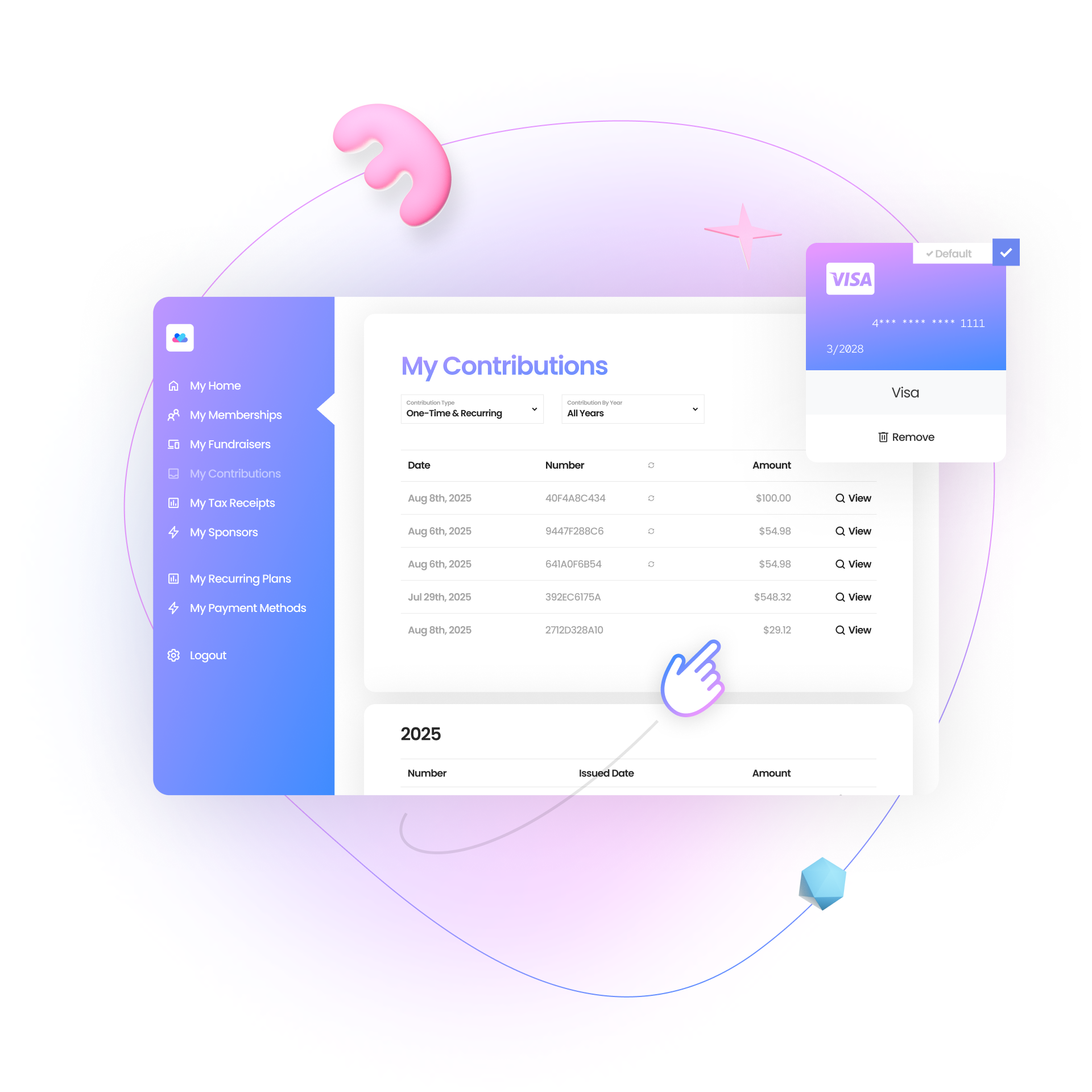
Givecloud pulls historical giving data directly from DonorPerfect—so donors can log into the Givecloud portal and see all their gifts, download receipts, and manage their information.
Create a transparent, self-service experience that donors love—and reduces administrative burden for your team.
Item-Level Coding for Precise Reporting
Assign campaign, GL, solicitation, or sub-solicitation codes to each item and donation form in Givecloud—no manual clean up required. Every contribution is coded accurately at the source, so finance and development teams get clean, reliable data.
You’re in Control of Receipting
Choose how and where receipts are sent:
- Instant tax receipts from Givecloud
- Consolidated receipts
- Or delegate entirely to DonorPerfect
Fully flexible, fully donor-friendly.
Frequently Asked Questions
How are donors matched between systems?
Givecloud uses a five-point matching system following industry best practice, starting with email address. It’s about 95% accurate—on par with a human. It’s smart enough to know Kenzie = Mackenzie and to reduce duplicates before they happen. Read More ›
How do I track gifts between Givecloud and DonorPerfect?
Each transaction shows linked Donor IDs in Givecloud, with a single click, you can jump directly to the matching record in DonorPerfect. See How ›
Can I control what types of gifts are synced?
Yes, you can customize what types of gifts or items are synced to DonorPerfect by turning the sync on or off at the item level. For example, you may want to sync donations from your main form, but not online store purchases.
How do I set up the integration?
It’s easy. Just head to Settings > DonorPerfect and add your DonorPerfect login credentials or API Key. For a step by step process, see this article.
Can I choose how gifts are split in DonorPerfect?
Yes. You can choose between two gift syncing methods:
Multiple Individual Gifts: Each line item in a contribution is recorded as a separate gift in DonorPerfect.
Split Gifts: Creates one master gift with associated split lines.
Can I use different DonorPerfect codes for single vs monthly gifts?
Yes! Within the settings on each individual donation form, you can assign unique DonorPerfect codes for each giving option (e.g., one-time, monthly).
How much does the integration cost?
It’s completely free.